Using drivers
First, we need an object of a type which can be imported into Godot with the glTF
importer.
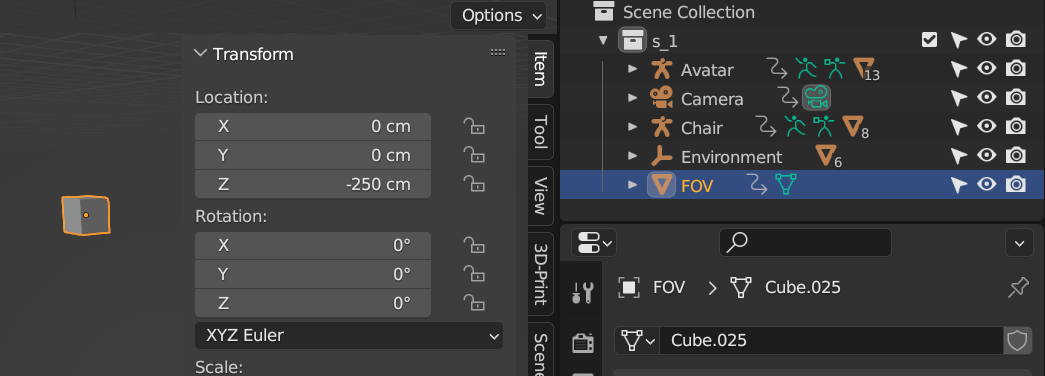
Create an object, such as a default Cube, so we can see it in the viewport when it is
driven. However, this may also be an invisble object, like an empty. Lets position it
somewhere on the Z axis where it is somewhere which can't be seen during the cinematic
sequence.
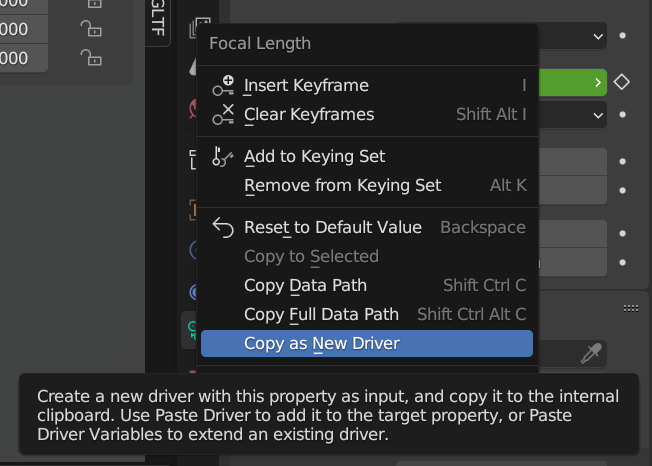
Next, we need to copy a new driver from the scene camera's focal length parameter.
Simply select the scene camera, go to the camera's Data tab where you find the Focal
Length, and right click the parameter and select Copy as New Driver.
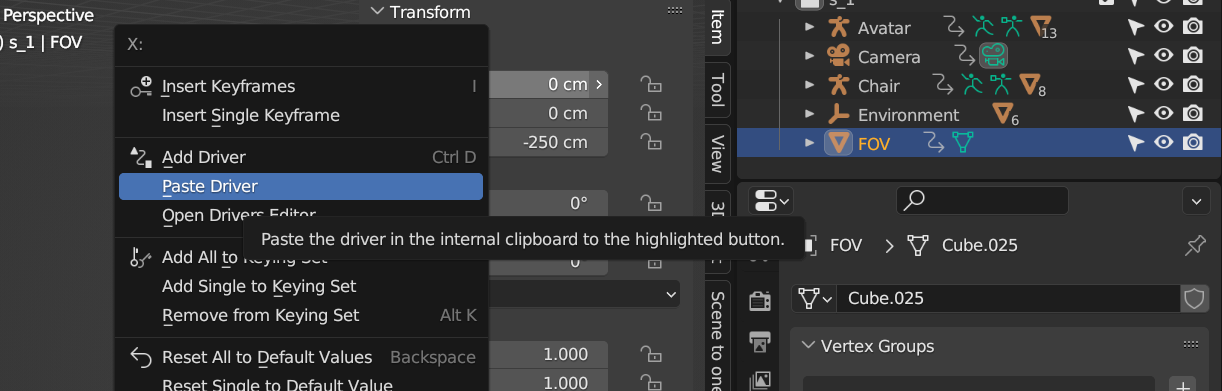
Now paste the driver onto a transform channel of the object that is to be driven, which
in this case if the Cube that was made. This will result in the position of the cube to
be the same value as the camera's focal length. In this case, 35mm focal length becomes
3500 in the X-axis.
If you don't like the extreme values, for instance due to fear of floating point errors,
then you can make a custom expression by right clicking the transform channel where you
pasted the driver and selecting Edit Driver. Here, you may change the type to Scripted
Expression and write your own mathematical expression, for instance by dividing it by
10.
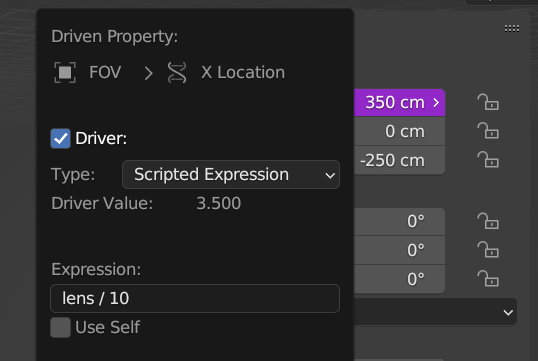
If you do so, then that must be accounted for in the Godot script below to get the right
FOV during the sequence in Godot.
Now, we just need to export it.

 mail me

